
Categories: AI Charting, AI For Data Analytics, AI Report Generator, AI Spreadsheet, Large Language Models (LLMs), SQL Query Builder
Arcwise AI Review: An AI Analyst in Your Google Sheets?

Alright, let's talk. We've all been there. It's 4:47 PM on a Friday. You're staring at a Google Sheet with 30,000 rows of raw data that vaguely resembles a crime scene. Your boss wants a quick summary of Q3 sales trends by region, and all you can think about is the cold beer waiting for you at home. You start wrestling with VLOOKUPs, pivot tables start pivoting into oblivion, and you find yourself muttering formulas under your breath like some kind of ancient spell. It’s a nightmare.
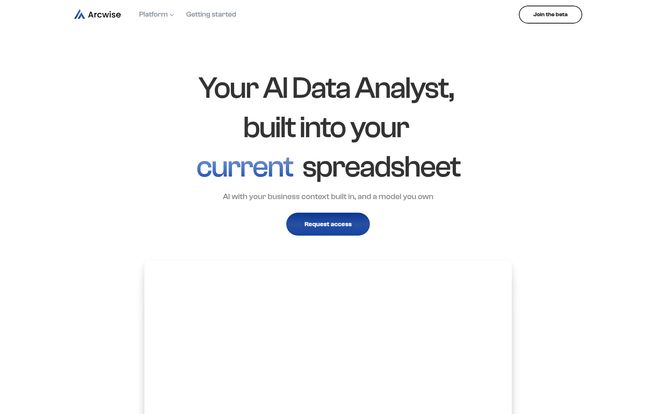
For years, this has just been... the job. We, the data-wranglers and spreadsheet gurus, have accepted our fate. But what if it didn't have to be this way? I’ve been hearing a lot of buzz lately about AI assistants popping up everywhere, and one that caught my eye is Arcwise AI. It claims to be an “AI Data Analyst” that lives directly inside your Google Sheets. Big promises. So, naturally, I had to see if it’s the real deal or just another piece of overhyped vaporware.
Side note: You might also see it being called 'Current'. It looks like they're in the middle of a rebrand, which is always a bit confusing, but the core tech is what we’re here for. For now, we'll stick with Arcwise.
So, What Exactly is Arcwise AI?
Imagine you could just open a Google Sheet, type a question in plain English like, “What were our top 5 selling products in May?” and an answer, complete with a neat little chart, just appears. That's the dream Arcwise is selling. It’s an AI tool, powered by the same kind of magic behind ChatGPT, but specifically trained and designed to work with spreadsheet data.
It’s not just about answering questions, though. It’s designed to be your co-pilot for the entire data analysis process. From cleaning up messy columns to connecting directly to massive company databases and pulling in the exact data you need, it's meant to handle the grunt work so you can focus on the insights. Think of it less as a tool and more as a junior data analyst you don’t have to pay a salary to. A very, very fast one.
The Core Features That Actually Matter
I’ve seen a million tools with a laundry list of features. Most are fluff. With Arcwise, a few things genuinely stand out as being legitimately useful for folks like us who live and breathe data.
It Lives Directly in Your Google Sheets
This is the big one for me. I can’t stand having to export a CSV, upload it to another platform, run my analysis, export the results, and then import it back into my report. It's tedious and just plain annoying. Arcwise works via a Chrome extension, integrating directly into the Google Sheets interface. No more app-switching. You work where your data is. This alone is a massive workflow improvement.
Your Personal SQL-Writing Assistant
Okay, this is where it gets really interesting, especially for marketers or managers who didn't major in computer science. Arcwise can connect to your company's data warehouses—think big names like Snowflake, BigQuery, and Redshift. You can ask it, “Pull all customer sign-ups from the last 90 days for the EMEA region,” and it will write the complex SQL query for you, run it, and drop the data right into a new tab on your sheet. This is a game-changer. It bridges the gap between the business side and the engineering side of data, making powerful database queries accessible to... well, everyone.
From Raw Data to 'Aha!' Moments Instantly
The tool is fantastic at what I call 'instant gratification analysis.' You can highlight a messy block of data and ask it to “clean this up” or “standardize the date formats.” It’s surprisingly good at it. Then you can hit it with questions like “Show me the month-over-month growth for this metric” or “What’s the correlation between ad spend and conversions?” It doesn’t just spit out a number; it often generates a chart or a graph automatically. It turns data exploration from a chore into a conversation, which is how it should be.
Making the AI Smarter with Your Own Context
Here’s a more advanced feature that I find fascinating: you can train the AI on your business context. You can teach it what your company’s specific acronyms mean, what defines a “power user,” or what your internal KPIs are. This means that over time, its answers become more and more tailored to your specific business. It stops being a generic AI and starts becoming your AI. That's a powerful concept.
A Quick Look at Getting Started
The setup seems refreshingly simple, which is always a relief. Based on their site, it boils down to three main steps:
- Connect your data sources: You’ll first need to link up your data warehouse or BI tool. This is probably the most 'technical' part of the process, and you might need a little help from your IT guy or gal to get the credentials.
- Install the Chrome extension: Pretty standard stuff. Head to the Chrome Web Store, click 'Add to Chrome', and you're pretty much set. This is what embeds the tool into Google Sheets.
- Start asking questions: Open a sheet, and start firing away. The real magic is in learning how to ask questions to get the best results.
The Good, The Bad, and The Realistic
No tool is perfect, right? It's always a trade-off. Here's my honest take.
The Good Stuff
The efficiency gains are undeniable. The testimonial from Fanny-Dang at NZXT, who said it “saves several hours weekly,” feels very believable. It automates the most boring and time-consuming parts of data analysis. It also makes data more accessible to non-technical team members, which can foster a much better data culture. Suddenly, the marketing manager can pull their own numbers without filing a ticket with the analytics team. That's huge.
Some Things to Consider
Let's be real. First, this isn’t a magic wand. The AI is only as good as the data it’s given and the questions you ask. Garbage in, garbage out still applies. Second, to get the most out of it—especially the SQL generation—you need to have your data set up in a proper data warehouse. It’s not really for someone whose only “database” is a single, messy Excel file. There's an initial setup hurdle. And finally, like all AI, it’s not infallible. You still need a human brain to look at the results and say, “Wait a minute, that doesn’t look right.” Always trust, but verify.
So, Who is This Really For?
I see a few groups getting a ton of value out of Arcwise AI:
- Data Analysts: To speed up their workflow, automate repetitive report pulling, and spend more time on deep strategic analysis instead of just data prep.
- Marketing & Sales Managers: To quickly answer performance questions, track KPIs, and build reports without needing to wait for the data team.
- Product Managers: To analyze user behavior, track feature adoption, and pull cohort data on the fly.
- Small Business Owners: For those who have to be their own everything—CEO, marketer, and analyst—this could be an incredible force multiplier.
It's for anyone who finds themselves staring at a spreadsheet and wishing they could just talk to it.
Frequently Asked Questions about Arcwise AI
Does Arcwise AI work with Microsoft Excel?
As of now, Arcwise AI is built specifically for Google Sheets. It relies on a Chrome extension and integration with the Google Workspace ecosystem, so there's no native support for Excel.
Is my company's data secure with Arcwise AI?
Data security is a huge concern with any third-party tool. Arcwise states it connects to your data sources, but you should always review their privacy policy and terms of service. For highly sensitive information, it’s always best practice to consult with your security team before integrating any new tool.
Do I need to know how to code to use Arcwise?
For the most part, no! That’s one of its biggest selling points. You can ask questions in natural language. However, having a basic understanding of your data structure and maybe some light technical knowledge will help you get it connected and ask more effective questions.
How is this different from just using ChatGPT?
While the underlying tech is similar, the application is completely different. ChatGPT is a general-purpose language model. Arcwise AI is a specialized tool that is deeply integrated into the Google Sheets environment, pre-configured to understand tabular data, generate charts, and connect securely to data warehouses. It's a specialist vs a generalist.
Is there a free version of Arcwise AI?
The site has separate terms of use for free and paid plans, which strongly suggests a freemium model. You can likely get started for free to test the basic features, with more advanced capabilities like extensive data warehouse connections or custom model training being part of a paid plan. You'll need to "Join the beta" on their site to get the specifics.
Final Thoughts: Is Arcwise a Must-Have?
I came into this a bit skeptical, as I always do with new AI tools that promise the world. But I'm leaving... pretty impressed. Arcwise AI isn’t trying to be a one-size-fits-all AI assistant. It’s focused on solving a very specific, very common, and very annoying problem: making sense of data inside a spreadsheet.
It won't steal your job. What it might do is make you better and faster at it, freeing you from the tyranny of manual data-pulls and allowing you to do the one thing a human can do better than any AI: think critically and strategically about what the numbers actually mean. And for that reason alone, it's definitely worth keeping an eye on. I, for one, am excited to see where it goes. Now, about that beer...


