
Categories: AI Avatar Generator, AI Photo Editor, AI Photo Filter, AI Pixel Art, AI Sticker Generator, AI Style Transfer
Clay AI Review: Fun AI Avatars or Just a Gimmick?

Let’s be real for a second. We’re all a little tired of the same old profile pictures. The slightly-too-filtered selfie, the group shot where you have to circle your own head, the picture of your dog because you haven’t taken a decent photo of yourself in three years... we've all been there. A while back, the internet collectively lost its mind over Lensa AI, turning everyone into ethereal space gods and goddesses. It was fun, for a week. But what if you want something a bit more... playful? A little less 'cosmic deity' and a little more 'lovable cartoon character'?
Well, I stumbled across a tool called Clay AI, and the name alone had me curious. It promises to transform your photos into stylized figures, with a special focus on a quirky, charming clay-mation look. You know, like those old-school animated Christmas specials. So, as your resident guinea pig for all things SEO, traffic, and weird internet trends, I obviously had to take it for a spin. Is it the next big thing for your social media presence, or just another digital distraction? Let's get into it.
So, What in the World is Clay AI Anyway?
Think of Clay AI as a little digital art studio in your browser. Its one big trick is using artificial intelligence to look at your photo and then reimagine it in a completely different style. It’s not just slapping a filter on top; it’s rebuilding the image from the ground up based on the new aesthetic. The whole process feels less like photo editing and more like commissioning a tiny, super-fast artist who specializes in character design.
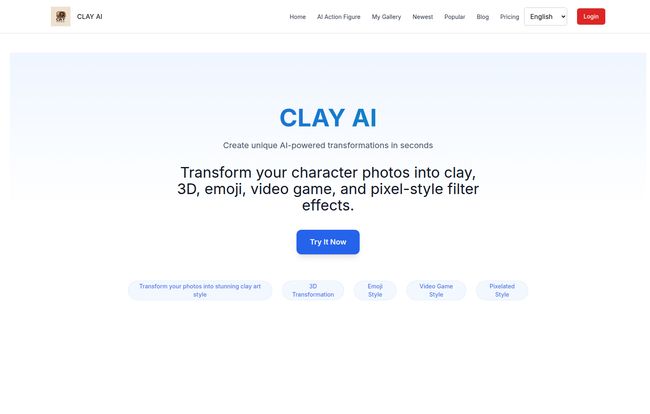
The main draw, and the reason for its name, is the 'Clay' effect. It genuinely looks like someone meticulously crafted a little clay version of you. But it doesn't stop there. It also dabbles in other fun transformations, turning your face into a 3D cartoon character, a retro video game sprite, or even a custom emoji. It’s all about creating a unique avatar that actually has some personality.
Visit Clay AI
Getting Started: Is It Actually Easy?
I’ve seen a lot of AI tools that promise simplicity but then hit you with a dozen sliders, settings, and technical jargon. My patience for that stuff is... thin. I just want to see the magic happen. Thankfully, Clay AI seems to get that. Their whole process is boiled down to three steps that are almost laughably simple:
- Upload & Style: You pick a photo (a clear headshot works best, obviously) and upload it. Then you choose which artistic universe you want to be dropped into—Clay, 3D, Pixel, etc.
- Submit & Wait: You hit the generate button. This is where the AI gnomes go to work. The site says it takes 10-20 seconds. A perfect amount of time to question your life choices or, you know, just grab a sip of coffee.
- Get Result: Boom. Your new avatar appears, ready to be downloaded and shared.
Honestly, that’s it. It’s simpler than ordering a pizza online. There’s no sign-up friction on the front end to just try it, which I really appreciate. They let the tool speak for itself.
A Closer Look at The AI Styles
Okay, let's talk about the results. A tool can be easy to use, but if the output looks like a hot mess, who cares? I tested a few different styles, and here’s the breakdown.
The Signature Clay Effect
This is the main event. And I gotta say, it’s pretty impressive. It has a tangible, stop-motion quality to it that feels really unique. It’s not just smoothing your skin; it’s adding texture and a sort of soft, sculpted look that’s genuinely charming. I fed it a picture of a friend, and the result was instantly recognizable but also completely new. It's the kind of thing that would make an amazing, custom social media icon.
Pixel Art and Video Game Nostalgia
As someone who grew up on a steady diet of Nintendo and Sega, this one hit me right in the feels. The pixel art style transforms your face into an 8-bit or 16-bit character sprite. It’s perfect for a Discord or Twitch profile picture. It’s a fun, nerdy nod to a classic era of gaming, and the AI does a surprisingly good job of capturing your key features even with such a limited number of pixels. A definite win for the retro fans.
Modern 3D and Emoji Fun
The 3D style is very much in the vein of modern animated movies. Think less Pixar-level perfection and more in the style of mobile game characters. It’s clean, bubbly, and super friendly. The emoji style is just what it sounds like—it turns your face into a big, expressive emoji. It’s a bit silly, but I can absolutely see people having a blast with it in group chats.
My Honest Take: The Good and The Not-So-Good
No tool is perfect, right? After playing around with Clay AI for a while, I've got some thoughts. Let’s start with the good stuff.
What I Liked
The simplicity is a huge plus. In an age of over-complication, a tool that just works is a breath of fresh air. The variety of styles is another big win. You're not just getting one trick; you're getting a whole toolbox of creative options. I also found the quality to be pretty consistent. Sure, some results are better than others (lighting in your source photo matters!), but I didn't get any truly terrifying, nightmare-fuel outputs, which is more than I can say for some other AI image tools I’ve tested.
Where It Could Be Better
Now for the critiques. The 10-20 second wait time is a bit of a drag in our instant-gratification world. It’s not a dealbreaker, by any means—it's faster than making a cup of tea—but when you're rapidly trying out different styles, that little pause can feel longer than it is. The free version is also quite limited, giving you just 3 generations per week. It’s enough for a taste, but you’ll quickly hit that wall if you're having fun. Which, of course, is the whole point. They want you to upgrade.
Let's Talk Money: The Clay AI Price Tag
So, what does it cost to get past the free version's limits? The pricing is... interesting. It's listed in '¥', which can mean Japanese Yen or Chinese Yuan. Given the numbers, it's almost certainly Chinese Yuan (CNY). So I've done a rough conversion for you.
| Plan | Price (CNY) | Approx. USD | What You Get |
|---|---|---|---|
| Free Version | ¥0.00 | $0.00 | 3 AI Images per week. Valid for 1 week. |
| Trial Version | ¥16.88 | ~$2.35 | 25 AI Images, HD quality, faster speed. Valid for 1 month. |
| Enjoyment Edition | ¥28.88 | ~$4.00 | 50 AI Images, Ultra HD quality, faster speed. Valid for 1 month. |
For a one-time payment of less than a fancy coffee, you get a whole month of access and a decent batch of images. The value proposition here is pretty strong, especially for the "Trial Version." 25 images is more than enough to create avatars for all your social profiles and have some left over for fun. It's a low-risk investment for a bit of digital flair.
Who Is Clay AI Actually For?
I can see a few groups really getting a kick out of this.
- Social Media Mavens: Anyone looking to break out of the boring-selfie rut and create a cohesive, branded look across platforms like Instagram, TikTok, or X.
- Gamers and Community Members: The pixel and 3D styles are practically made for Discord, Twitch, and forum avatars.
- Content Creators: It’s a quick and cheap way to generate unique character assets or profile pics that stand out.
- Anyone with a Sense of Humor: Honestly, just turning photos of your friends, family, and pets into little clay people is worth the price of admission alone. The results can be hilarious.
Frequently Asked Questions About Clay AI
Here are some quick answers to questions you might have.
- Is Clay AI safe to use?
- According to their site, they take privacy and data security seriously. Like with any online photo tool, the standard advice applies: be mindful of what photos you upload. They claim to use security measures to protect your data, but it's always good practice to be cautious.
- Is it really that easy to use?
- Yes. I can't stress this enough. If you can attach a photo to an email, you can use Clay AI. There is virtually no learning curve.
- What can I do with the images I create?
- Pretty much anything for personal use! Use them as profile pictures on social media, in group chats with friends, as your avatar in gaming communities, or just save them for a laugh. For commercial use, you'd want to check their terms of service, as is standard practice.
- How many styles are there to choose from?
- The main ones they advertise are Clay, 3D, Emoji, Video Game, and Pixel styles. They might add more over time, so it's worth checking back.
- Is the paid version a subscription?
- Based on the pricing page, the paid tiers appear to be one-time payments for a certain number of images, valid for one month. This is a huge plus in my book—no sneaky recurring charges to forget about.
The Final Verdict: Should You Give Clay AI a Try?
So, after all that, what’s the final word? I think Clay AI is a genuinely fun and worthwhile tool. It’s not a professional design suite, and it's not going to create a photorealistic masterpiece. That’s not what it’s for. It’s a creative toy, a personality engine for your online presence.
It successfully avoids being just another gimmicky AI filter by offering styles that are distinct, charming, and well-executed. For the incredibly low price of its paid tiers, it offers a fantastic way to refresh your digital identity without needing any artistic skill whatsoever. It’s a delightful little tool in a sea of overly serious software, and sometimes, that’s exactly what you need.
If you're looking for a simple, low-cost way to inject some fun into your profile pictures, I’d say give the free version a shot. You’ve got nothing to loose, and you might just end up with a new favorite avatar.


