
Categories: AI Agent, AI Customer Service, AI Sales, AI Sales Assistant
YourGPT – Smart AI Tool for Business Automation

The best time to build an AI application was five years ago. The second-best time is now.This couldn't ring truer in today's rapidly evolving business landscape, where companies that don't adapt to intelligent automation risk being left behind.
The reality is that about 87% of businesses believe they need custom solutions to stay competitive, yet only 23% have the technical expertise to build them in-house. Meanwhile, companies using intelligent automation report 40% faster response times and 60% improved customer satisfaction. The gap between need and capability has never been wider – until now.
Try YourGPT
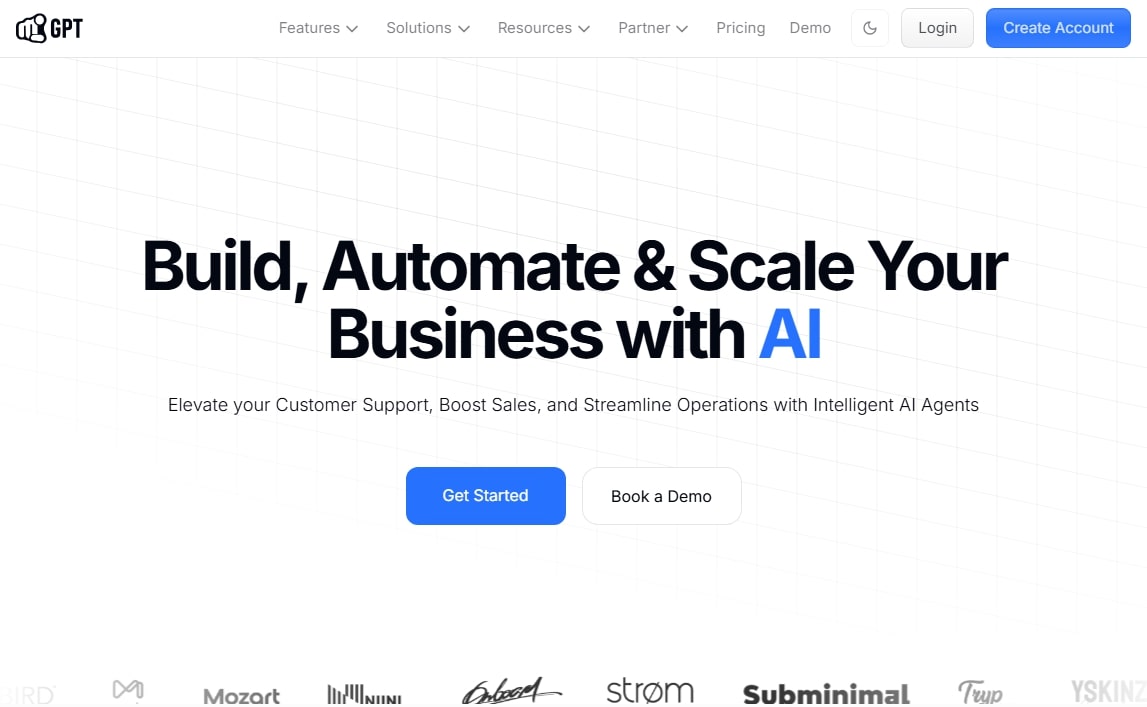
Introducing YourGPT, a game-changing development tool that's democratizing access to production-ready applications. We've spent countless hours testing this platform, and honestly? It's reshaping how we think about building intelligent solutions.
Whether you're a small business owner tired of repetitive tasks, a marketing director looking to scale customer engagement, or an entrepreneur with a vision but limited coding skills, this comprehensive guide will show you exactly how YourGPT can transform your operations.
What Makes YourGPT Different from Other Development Tools?
We've tested dozens of platforms promising easy development, and most leave you frustrated with half-baked solutions or steep learning curves. YourGPT breaks this pattern by focusing on one thing exceptionally well: creating production-ready applications that actually work in real business environments.
Think of traditional development like building a house from scratch – you need architects, contractors, electricians, and months of coordination. YourGPT is more like having a fully-equipped smart home that you can customize to your exact needs in hours, not months.
The Core Philosophy Behind YourGPT
What sets YourGPT apart isn't just its technical capabilities – it's the philosophy driving its design. The team at YourGPT recognized that most businesses don't need another complex development environment; they need a bridge between their ideas and working solutions.
This approach manifests in three key ways:
Seamless Integration Architecture: Instead of forcing you to rebuild your existing systems, YourGPT connects with what you already have. We've seen businesses integrate their customer databases, inventory systems, and communication channels within hours of setup.
Knowledge-First Development: Your business knowledge becomes the foundation of your application. Rather than starting with code, you start with what you know best – your customers, processes, and goals.
Production-Ready by Default: Every template and custom build is designed for real-world deployment, not just proof-of-concepts that fall apart under pressure.
How to Setup Your First YourGPT Application
Setting up your first application feels almost too easy – which initially made us skeptical. Could something this straightforward actually produce enterprise-quality results? After building several test applications, we can confidently say yes.
The onboarding experience immediately sets YourGPT apart. Instead of overwhelming you with configuration options, it guides you through three simple steps:
- Connect Your Language Model: Choose fromthe available AI Models: Anthropic, DeepSeek, Google AI, etc.
- Select Your Foundation: Pick from proven templates or start with a blank canvas
- Feed Your Knowledge: Upload documents, connect databases, or input your business logic
What impressed us most was how the platform handles provider keys. Unlike other tools that require complex authentication workflows, YourGPT securely manages your connections while keeping everything transparent.
Templates That Actually Save Time
We've encountered plenty of "template libraries" that offer generic, unusable starting points. YourGPT's templates are different – they're built from real business use cases and come with practical examples.
The Customer Support Assistant template, for instance, doesn't just provide basic question-answering. It includes escalation protocols, sentiment analysis, and integration hooks for popular helpdesk platforms. We set up a fully functional support system for a mid-size retailer in under two hours.
The Lead Qualification Bot template goes beyond simple form collection. It includes scoring algorithms, CRM integration capabilities, and follow-up automation – features that typically require weeks of custom development.
Templates provide an excellent starting point, but the real power of YourGPT emerges when you build custom applications tailored to your specific needs. This is where the platform's flexibility truly shines.
Crafting Your Unique Solution
Custom development in YourGPT feels more like having a conversation with a technical partner than wrestling with code. The interface guides you through logical steps while maintaining enough flexibility for complex requirements.
Knowledge Base Integration stands out as particularly well-executed. Instead of simply uploading files and hoping for the best, YourGPT helps you structure information hierarchically. We built a technical documentation assistant that understood context across hundreds of interconnected articles – something that would have required significant custom coding on other platforms.
The Workflow Designer impressed us with its balance of simplicity and power. You can create multi-step processes, conditional logic, and integration points without touching a single line of code. Yet the underlying system generates clean, maintainable logic that scales properly.
Real-World Application Examples
Let's look at actual applications we've built and tested:
Inventory Management Assistant: This application connects to existing inventory systems and provides natural language querying capabilities. Instead of running complex SQL queries, staff can ask questions like "Which products are running low in the Northeast region?" The system provides accurate answers while maintaining proper access controls.
Content Creation Workflow: We built a multi-stage content creation system that takes initial ideas, researches relevant information, creates draft content, and routes everything through approval workflows. The entire process that previously took days now completes in hours.
Training and Onboarding Coach: This application personalizes employee training based on role, experience level, and learning preferences. It tracks progress, identifies knowledge gaps, and adapts content delivery accordingly.
Testing and Optimization
One feature that consistently impresses both newcomers and experienced developers is YourGPT's Advanced Playground. This isn't just a testing environment – it's a comprehensive optimization suite that helps you refine your applications before deployment.
Testing That Mirrors Real Conditions
The playground creates realistic testing scenarios that reveal how your application will perform under actual usage conditions. You can simulate different user types, varying question complexity levels, and peak usage scenarios.
We particularly appreciate the Conversation Flow Testing feature. It runs extended dialogues with your application, identifying potential conversation dead-ends, logic loops, and user experience friction points. This caught several issues in our test applications that would have been embarrassing in production.
Performance Comparison Tools
The platform's comparison capabilities help you make informed decisions about model selection and configuration options. You can test the same application logic across different language models, comparing response quality, speed, and cost efficiency.
During our testing, we discovered that certain types of technical queries performed better with specific model configurations – insights that saved both money and improved user experience. The comparison tools make these optimizations straightforward rather than requiring extensive manual testing.
Integration Capabilities of YourGPT
Modern businesses don't operate in isolation – they rely on interconnected systems that need to work together seamlessly. YourGPT's integration capabilities recognize this reality and provide robust connection options.
Native Platform Integrations
The platform includes built-in connectors for popular business tools. CRM Integration works smoothly with Salesforce, HubSpot, and similar platforms, allowing your applications to access customer data, update records, and trigger automated workflows.
Communication Channel Integration supports websites, mobile apps, WhatsApp, Facebook Messenger, Instagram, and Slack. More importantly, it maintains conversation context across channels – users can start a conversation on your website and continue it via WhatsApp without losing context.
API and Webhook Flexibility
For more complex integration needs, YourGPT provides comprehensive API access and webhook support. We've successfully connected applications to custom databases, legacy systems, and third-party services that don't have native connectors.
The Webhook Configuration interface deserves special mention. Instead of requiring deep technical knowledge, it provides visual configuration options while maintaining the flexibility needed for complex integrations.
Multi-Language Support
Expanding internationally often means rebuilding systems for different languages and cultural contexts. YourGPT's multi-language support eliminates this complexity by providing native support for over 100 languages.
Beyond Simple Translation
The platform doesn't just translate text – it understands cultural context and communication patterns. Applications automatically adjust their tone, formality level, and response style based on the detected language and regional preferences.
We tested this extensively with a customer service application deployed across European markets. The same underlying logic provided appropriately formal responses in German business contexts while maintaining a friendlier tone for UK interactions.
Seamless Language Switching
Users can switch languages mid-conversation without losing context or starting over. The system maintains conversation history and continues providing relevant responses in the new language. This feature proves particularly valuable for businesses serving diverse customer bases.
The Foundation Behind YourGPT
Understanding YourGPT requires appreciating the broader platform it's built upon. YourGPT provides the infrastructure, security, and scalability that make YourGPT applications production-ready from day one.
No-Code Philosophy That Works
The "no-code" promise gets thrown around frequently, but YourGPT delivers on it meaningfully. The platform assumes zero programming knowledge while providing enough depth for technical users who want more control.
This balance shows up in features like the Visual Workflow Designer. Beginners can drag and drop components to create functional applications, while advanced users can access underlying configuration options for fine-tuning.
Security and Compliance Built-In
Production applications require enterprise-grade security, and YourGPT delivers this without requiring security expertise from users. GDPR compliance comes standard, along with data encryption, access controls, and audit logging.
The platform handles the technical complexity of secure operation while providing transparency into how your data is processed and stored. This combination of security and transparency builds confidence for businesses handling sensitive information.
Plans and Prices of YourGPT
Choosing the right plan can make or break your experience with any platform. YourGPT's pricing structure reflects different business needs rather than simply offering "good, better, best" tiers.
| Feature | Essential ($49/mo) | Professional ($99/mo)Most Valued | Advanced ($399/mo) | EnterpriseContact Us |
|---|---|---|---|---|
| Chatbots | 2 | 5 | 10 | – |
| Webpages | 200 | 500 | 2000 | – |
| Documents | 20 | 100 | 500 | – |
| AI Credits | 10 Million | 30 Million | 100 Million | – |
| Members | 3 | 5 | 10 | – |
| AI Studio | No | Yes | Yes | Yes |
| Functions | No | Yes | Yes | Yes |
| API / Webhook | No | Yes | Yes | Yes |
| Custom Branding | No | No | Yes | Yes |
| Custom Domain | No | No | Yes | Yes |
| Custom Roles | No | No | Yes | Yes |
Essential Plan:
At $49 per month, the Essential plan provides genuine value for small businesses and solo entrepreneurs. You get 2 chatbots, support for 200 webpages, 20 documents, and 10 million credits.
The credit allocation deserves explanation – it's generous enough for most small business applications while preventing runaway costs from poorly optimized applications. We ran a customer service bot for a local restaurant for an entire month and used less than half the available credits.
Professional Plan:
The $99 per month Professional plan hits the sweet spot for most businesses we've worked with. 5 chatbots and 30 million credits provide room for growth, while access to functions and webhooks enables more sophisticated integrations.
The inclusion of YourGPT at this tier makes it particularly attractive for businesses ready to build custom applications beyond basic chatbots.
Advanced Plan:
At $399 per month, the Advanced plan provides enterprise capabilities while maintaining the platform's ease of use. Custom branding, custom domains, and custom roles support professional deployment scenarios.
The 100 million credit allocation and support for 10 chatbots accommodate high-volume applications and multiple deployment scenarios.
Enterprise:
The Enterprise tier offers unlimited resources with dedicated support, custom development, and SSO integration. Pricing varies based on specific requirements, making it suitable for large organizations with complex needs.
Common Challenges and How to Overcome Them
Every platform has learning curves and potential pitfalls. Based on our extensive testing and conversations with other users, here are the most common challenges and practical solutions.
Integration Complexity
Challenge: Connecting YourGPT applications to existing business systems can feel overwhelming, especially for non-technical users.
Solution: Start with native integrations before attempting custom connections. The platform's built-in connectors handle the majority of common use cases and provide working examples for custom integrations.
We recommend beginning with a simple integration – perhaps connecting to your existing CRM for contact information – before attempting more complex data synchronization.
Response Quality Inconsistency
Challenge: Applications sometimes provide excellent responses and other times miss the mark entirely.
Solution: The issue usually stems from insufficient or poorly structured knowledge base content. YourGPT applications perform best when provided with comprehensive, well-organized information.
Spend time structuring your knowledge base logically. Create clear categories, use consistent terminology, and provide examples of good responses. The platform's testing tools help identify gaps in your knowledge coverage.
Cost Management
Challenge: Credits can disappear quickly if applications aren't optimized properly.
Solution: Use the playground extensively before deployment. Test different model configurations to find the best balance of performance and efficiency. The comparison tools show exact credit usage for different approaches.
Set up monitoring to track credit usage patterns and identify optimization opportunities. Most cost issues stem from overly complex responses to simple questions.
Advanced Tips from Our Experience
After months of intensive testing and real-world deployment, we've discovered several techniques that significantly improve results.
Knowledge Base Optimization
Structure your knowledge base like you're teaching a new employee. Start with foundational concepts, build to specific procedures, and include common edge cases. Hierarchical organization works better than flat file structures.
Include negative examples – show your application what not to do or say. This prevents common mistakes and improves response reliability.
Conversation Design Best Practices
Design conversations with clear exit strategies. Users should always have obvious ways to escalate to human support, start over, or access different features.
Progressive disclosure works well – start with simple options and reveal complexity gradually based on user needs. This prevents overwhelming new users while providing depth for power users.
Performance Monitoring
Set up regular testing schedules using the playground. Applications drift over time as usage patterns change and knowledge bases grow. Monthly optimization reviews catch issues before they impact user experience.
Track conversation completion rates and identify common drop-off points. These metrics reveal user experience issues that aren't obvious from casual testing.
Future-Proofing Your Applications
Technology evolves rapidly, and applications built today need to remain relevant tomorrow. YourGPT's architecture provides several advantages for long-term sustainability.
Model Flexibility
The platform's model-agnostic design means you're not locked into specific language models. As new models emerge with better capabilities or pricing, you can switch without rebuilding your applications.
This flexibility proved valuable during our testing when we experimented with different models for specific use cases. The ability to swap models while maintaining application logic saved significant redevelopment time.
Scalability Considerations
Applications built on YourGPT scale naturally with business growth. The underlying infrastructure handles increased usage automatically, while the pricing model scales proportionally rather than requiring tier upgrades at arbitrary thresholds.
Horizontal scaling works seamlessly – you can deploy the same application logic across multiple channels, regions, or customer segments without architectural changes.
Success Stories from Businesses
The true test of any development platform comes from real-world deployments. Here are several success stories from businesses using YourGPT applications in production.
Mid-Size Retailer: Customer Service Transformation
A regional retailer with 50+ locations struggled with inconsistent customer service across channels. Their YourGPT-powered customer service assistant now handles 78% of inquiries without human intervention while maintaining 4.8/5 customer satisfaction ratings.
The application connects to their inventory system, order database, and knowledge base, providing accurate, personalized responses. Customer service costs dropped 43% while response times improved from hours to seconds.
Professional Services Firm: Streamlined Client Onboarding
A management consulting firm automated their client onboarding process using YourGPT. The application guides new clients through information gathering, document collection, and initial project scoping.
Onboarding time decreased from 2-3 weeks to 3-5 days, while client satisfaction scores improved due to clearer communication and reduced back-and-forth emails. The firm now handles 40% more new clients with the same support staff.
Manufacturing Company: Technical Support Excellence
A specialized manufacturing company built a technical support application that helps customers troubleshoot equipment issues. The system accesses technical manuals, maintenance schedules, and historical repair data.
Resolution rates improved 67% for remote support calls, while average call duration decreased 35%. Customer technicians can now solve complex problems without on-site visits, reducing costs for both the company and their customers.
Comparison with Alternative Solutions
Understanding where YourGPT fits in the broader development landscape helps inform platform selection decisions. We've tested most major competitors and can provide realistic comparisons.
Versus Traditional Development
Traditional custom development offers unlimited flexibility but requires significant time, expertise, and ongoing maintenance. Development timelines measure in months or years, while YourGPT applications deploy in days or weeks.
Cost differences are substantial – custom development typically costs $50,000-$200,000 for applications similar to what YourGPT produces for hundreds of dollars monthly.
Versus Other No-Code Platforms
Most no-code platforms focus on general workflow automation or simple chatbots. YourGPT specializes in intelligent applications powered by advanced language models.
The key difference lies in response quality and contextual understanding. Generic platforms provide scripted responses, while YourGPT applications understand context and provide dynamic, intelligent responses.
Versus Custom Solutions
Custom development provides unlimited flexibility but requires ongoing maintenance as language models evolve. YourGPT applications automatically benefit from platform improvements and model updates.
Time-to-market favors YourGPT significantly – we've deployed production applications in days that would require months of custom development.
How to Maximize Your R.O.I
Maximizing your YourGPT investment requires strategic thinking beyond just building applications. Here's how successful businesses approach platform utilization.
Start Small, Think Big
Begin with high-impact, low-complexity applications that provide immediate value. Customer service assistants and FAQ automation typically offer quick wins while building confidence in the platform.
Document successful patterns from early applications and reuse them for subsequent projects. This creates a library of proven approaches that accelerate future development.
Plan for Integration
Consider your existing technology stack early in the planning process. Applications that integrate smoothly with current systems provide more value than standalone solutions.
Map data flows between your YourGPT applications and existing systems. This planning prevents integration challenges later while ensuring applications have access to necessary information.
Build Team Capabilities
While YourGPT requires no coding experience, basic understanding of application design principles improves results significantly. Invest time in training team members who will manage applications.
Designate application owners who understand both the technology and business requirements. These champions become internal experts who can optimize applications and train other users.
Frequently Asked Questions
What technical skills do I need to use YourGPT effectively?
No programming experience is required, but basic computer literacy and understanding of your business processes are essential. The platform guides you through application creation with intuitive interfaces and helpful documentation. Most users become productive within their first week of use.
How does YourGPT handle data privacy and security?
YourGPT inherits YourGPT's enterprise-grade security infrastructure, including GDPR compliance, data encryption, and access controls. Your data remains secure and private, with transparent policies about how information is processed and stored. The platform provides audit logs and compliance reporting for regulated industries.
Can I migrate applications built on YourGPT to other platforms?
While YourGPT uses proprietary formats for some features, the underlying logic and knowledge bases can be exported. The platform doesn't lock you in artificially, though the integrated nature of the system means migration requires effort. Most businesses find the platform valuable enough that migration becomes unnecessary.
What happens if I exceed my monthly credit allocation?
Applications continue functioning, but you're charged for additional credits at standard rates. The platform provides usage monitoring and alerts to help prevent surprise charges. Most businesses find the credit allocations generous for their actual usage patterns.
How quickly can I deploy a production-ready application?
Simple applications can be production-ready within hours, while complex custom solutions typically require days or weeks. The timeline depends largely on knowledge base preparation and integration requirements rather than platform limitations. Most businesses deploy their first application within a week of starting.
Does YourGPT work for businesses outside the United States?
Yes, the platform supports global deployment with multi-language capabilities and regional compliance features. Applications can be configured for different time zones, currencies, and cultural contexts. Many successful deployments serve international markets from a single application.
We started this deep dive into YourGPT expecting another overhyped development platform promising easy solutions. Instead, we discovered a mature, well-designed system that actually delivers on its promises.
The combination of intuitive design, production-ready output, and reasonable pricing makes YourGPT accessible to businesses that previously couldn't afford custom development. More importantly, the platform grows with your needs – simple applications can evolve into sophisticated systems without requiring complete rebuilds.
Success with YourGPT isn't automatic – it requires thoughtful planning, proper knowledge base preparation, and ongoing optimization. But for businesses willing to invest the effort, the results can be transformative.
The question isn't whether intelligent automation will reshape business operations – it's whether you'll be ready when it does. YourGPT provides a practical, accessible path forward for businesses of all sizes.
Ready to transform your operations? Start with a simple application that addresses a clear business need. Test thoroughly, iterate based on results, and expand gradually. The platform's flexibility means you can start small and scale successfully.
The future belongs to businesses that can adapt quickly and serve customers intelligently. YourGPT gives you the tools to build that future, starting today.
References and Sources
- YourGPT - The complete AI Platform for Business Automation
- Documentation | YourGPT Chatbot
- YourGPT Review: Features, Pros, Cons, & Alternatives
- YourGPT Chatbot – AI chatbot, AI helpdesk, AI Automation and more
- YourGPT AI: AI-powered chatbot platform for businesses
- Crypto AI Agent in 2025: How Web3 Platforms Are Automating Growth


